Signing in
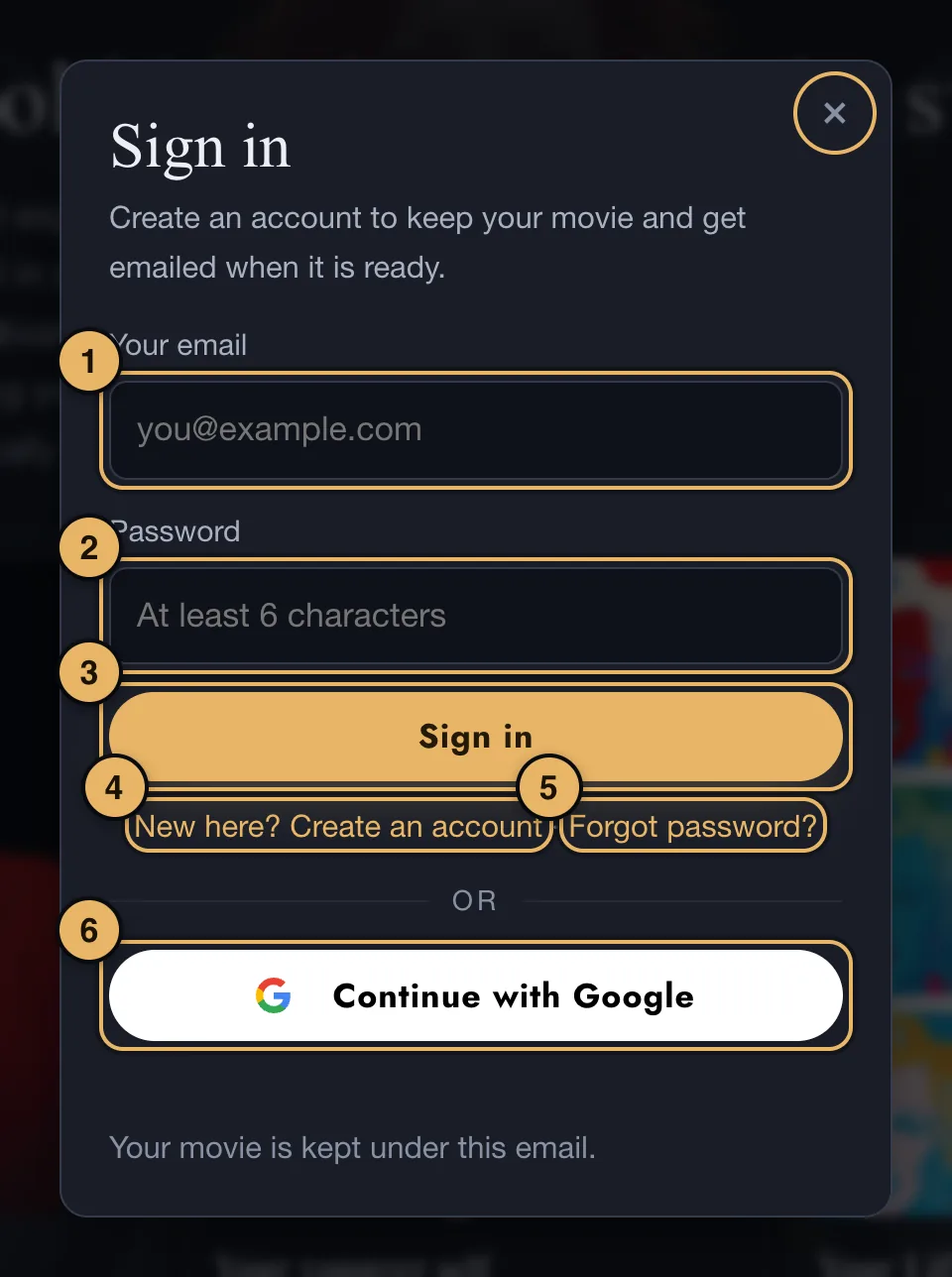
- Your email.
- Password. At least 6 characters.
- Sign in.
- New here? Create an account. Changes the box so you can make an account with an email and a password.
- Forgot password? We email you a sign-in link instead. Open the email on the same device and tap the link. It is good for an hour.
- Continue with Google. Signs you in with your Google account, with no password to remember.
Always sign in the same way, with the same email. A different email is a different account, and your movie will not be in it.
Your account page
Once you are signed in, an Account button appears at the top of the studio. It opens your account page, which has:
- Your details. Your name and nearest city. Change them and press Save.
- Your Vision Movies. A link to every movie you have made.
- Your gift codes. Every code you have bought, with a Copy link button to send to the person it is for.
The Studio button at the top takes you back to your movie.
Emails from us
We email you when a draft, a final movie or a widescreen version is ready. Every newsletter has an unsubscribe link at the bottom.
If an email does not arrive, look in your spam folder.
If something goes wrong here
See Signing in.