1 · Your photos
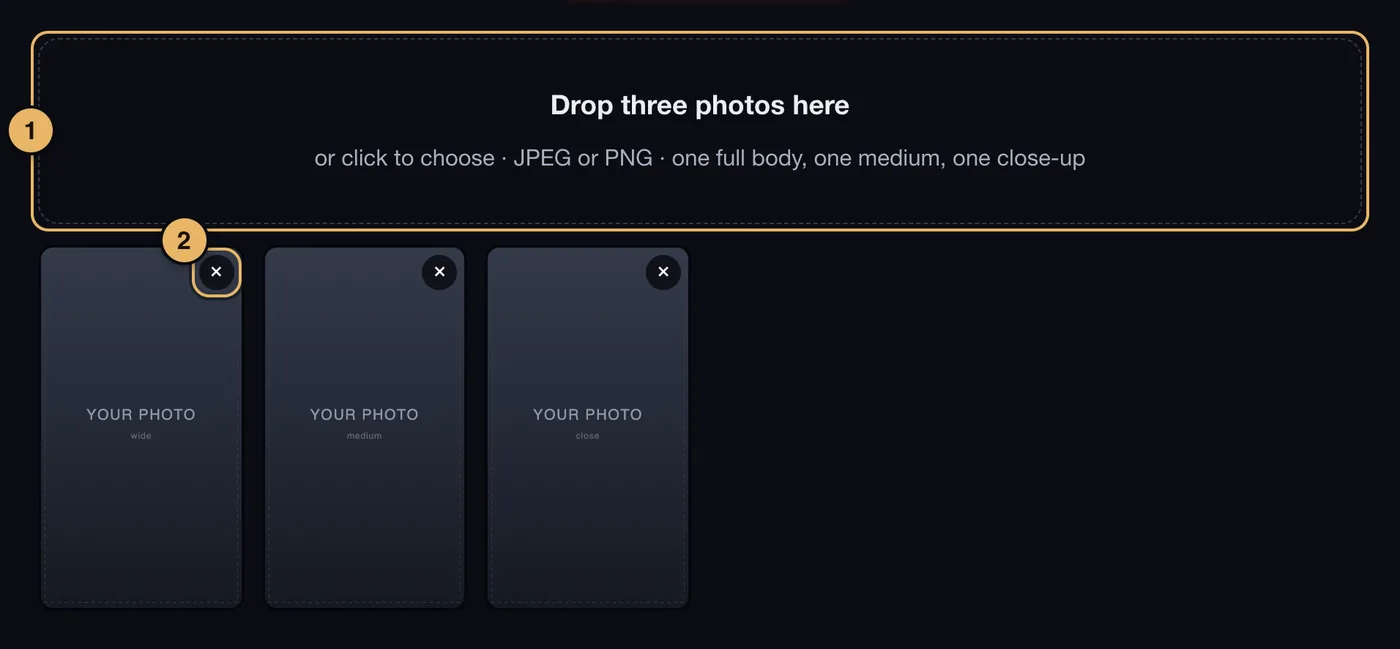
- Drop zone. Drop three photos here, or click to choose them. JPEG or PNG.
- Remove. The × on a photo takes it out.
Good photos make a good avatar. Use clear, well-lit photos of you alone: one head to toe, one from the waist up, one of your face.
2 · Your ideal self
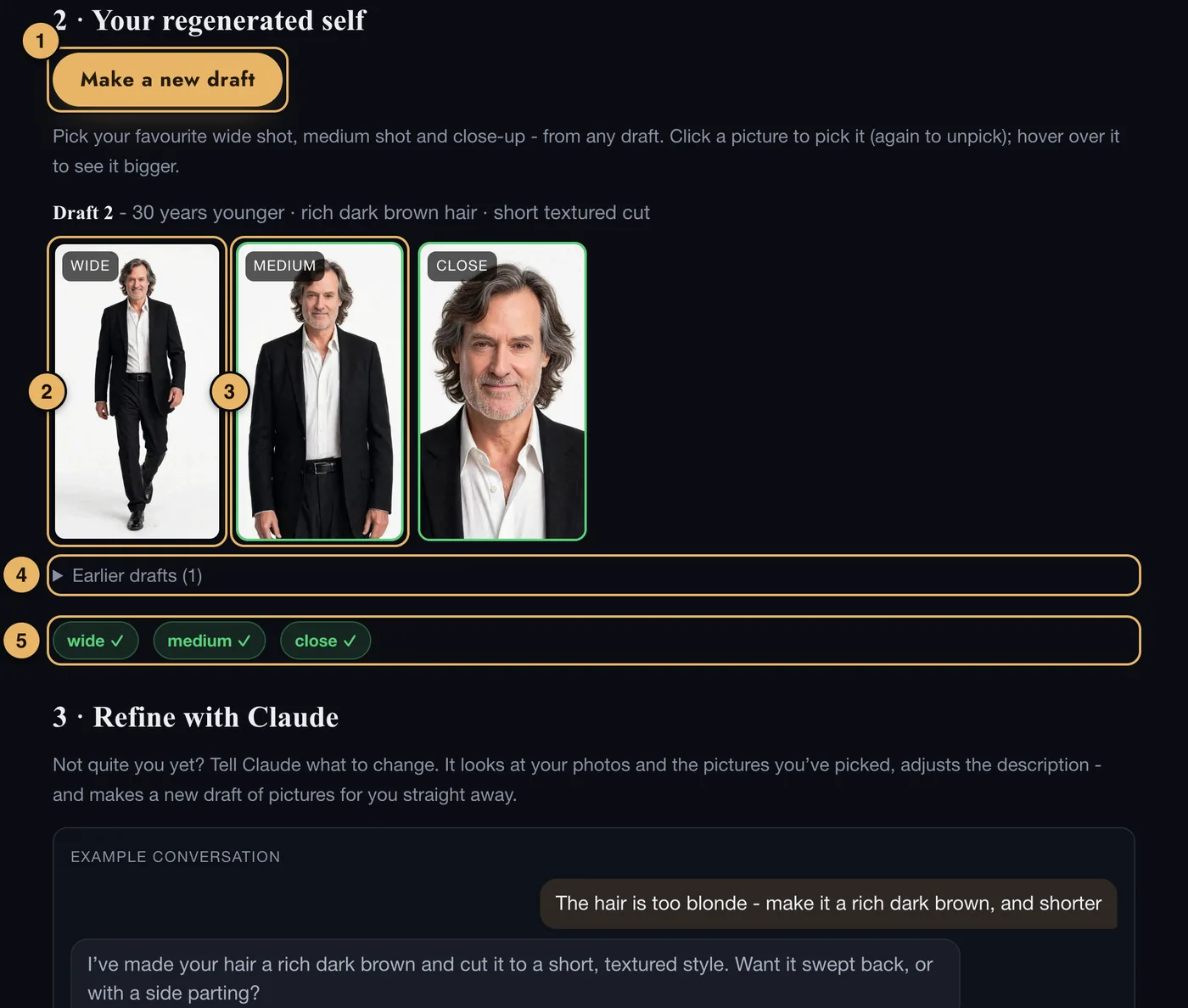
- Create my images - first draft. Makes a draft of three pictures. After the first draft the button says Make a new draft.
- A picture. Each draft has one wide shot, one medium shot and one close-up.
- A picture you have picked. It has a green edge. Pick one wide, one medium and one close - they can come from different drafts.
- Earlier drafts. Tap to see the drafts you made before.
- Your three picks. Each one shows a tick when it is chosen.
On a computer, move the pointer over a picture to see it bigger, and click to pick it. Click again to unpick it.
On a phone or tablet, tap a picture to see it bigger, then pick it from there.
You have 12 drafts to get it right.
3 · Refine with Claude
If the pictures are not quite you, say what to change. Claude looks at your photos and your picks, changes the description, and makes a new draft straight away.
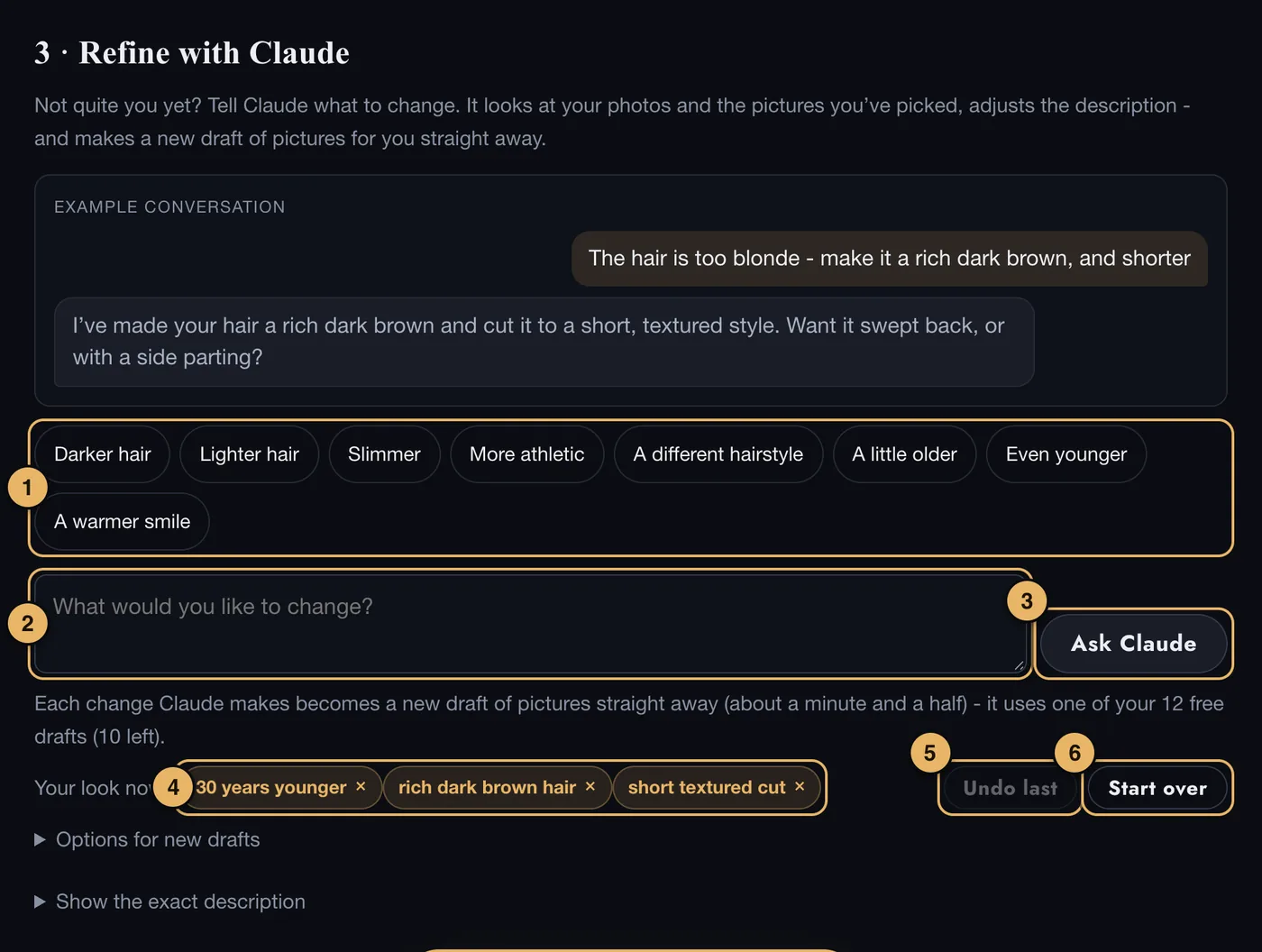
- Ideas. Tap one to use it as your request.
- Your request. Or type what you would like to change, in your own words.
- Ask Claude. Sends it. A new draft of pictures follows by itself, and uses one of your 12 drafts.
- Your look now. Every change made so far. Tap the × on one to remove it.
- Undo last. Takes back the most recent change.
- Start over. Goes back to the original description.
Under Options for new drafts you can ask for only one kind of shot - for example, only the close-up - and choose whether new pictures build on the ones you have picked.
If something goes wrong here
See Photos and Images that are declined or fail.