Sharing opens once you have exported your final movie on page 7.
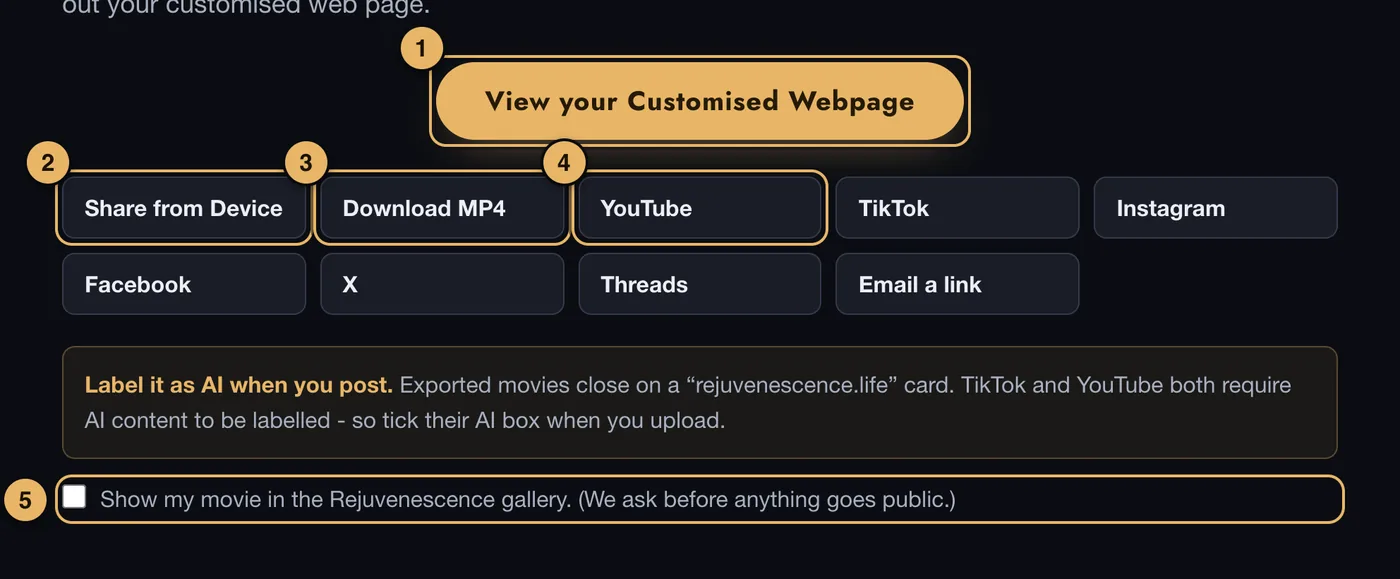
- View your Customised Webpage. Your movie’s own page, ready to send to friends. It appears once your movie is published.
- Share from Device. Opens your phone’s or computer’s own share menu.
- Download MP4. Saves the movie file to your device.
- YouTube, TikTok, Instagram and the rest. Each one helps you post to that place.
- Gallery. Tick this if you are happy for your movie to appear in the Vision Movie gallery. We ask before anything goes public.
Your movie’s own page
Every published movie has its own web page. Anyone you send the link to can watch it - they do not need an account.
The share buttons on that page are shown only to you, when you are signed in.
Posting to YouTube, TikTok or Instagram
These places do not let another website post a video for you. So the button downloads your movie and opens the right place, and you upload the file there.
How long we keep your movie
We keep your Vision Movie files on our server until you delete them yourself. It is still wise to download your movie and keep a copy somewhere safe.
If something goes wrong here
See Sharing.