A Vision Movie is around 2 minutes 30 seconds long, so a track of at least that length fits best.
Find a song on YouTube
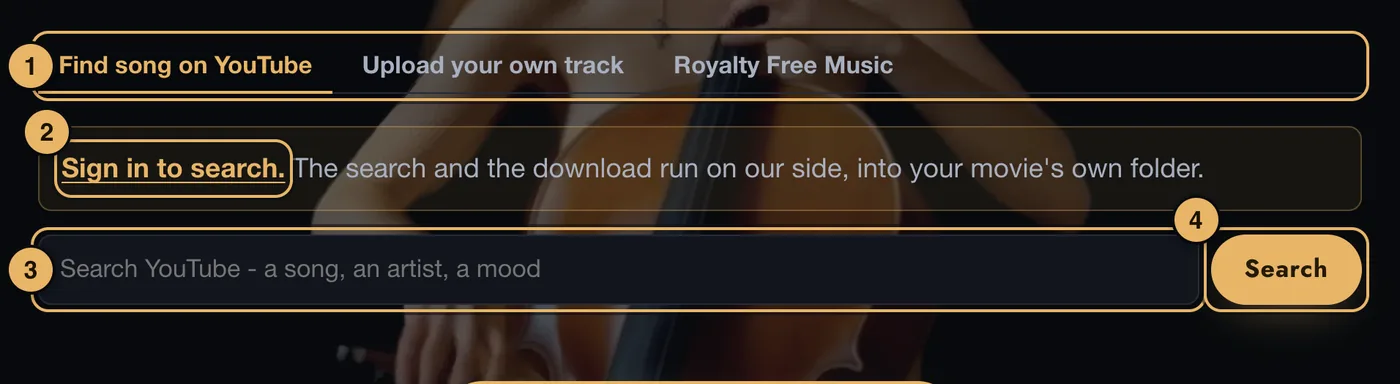
- The three tabs. YouTube, your own file, or our royalty-free library.
- Sign in to search. You only see this if you are not signed in. The search runs on our side, so it needs your account.
- Search box. Type a song, an artist or a mood.
- Search. Shows a list of results. Tap one to play it.
When you tap a result, a player opens so you can listen. If it is the one you want:
- Tick the box that says the track is for your own Vision Movie.
- Press Use this track. A bar shows the progress while we fetch it.
Tracks longer than 20 minutes cannot be used.
Upload your own track
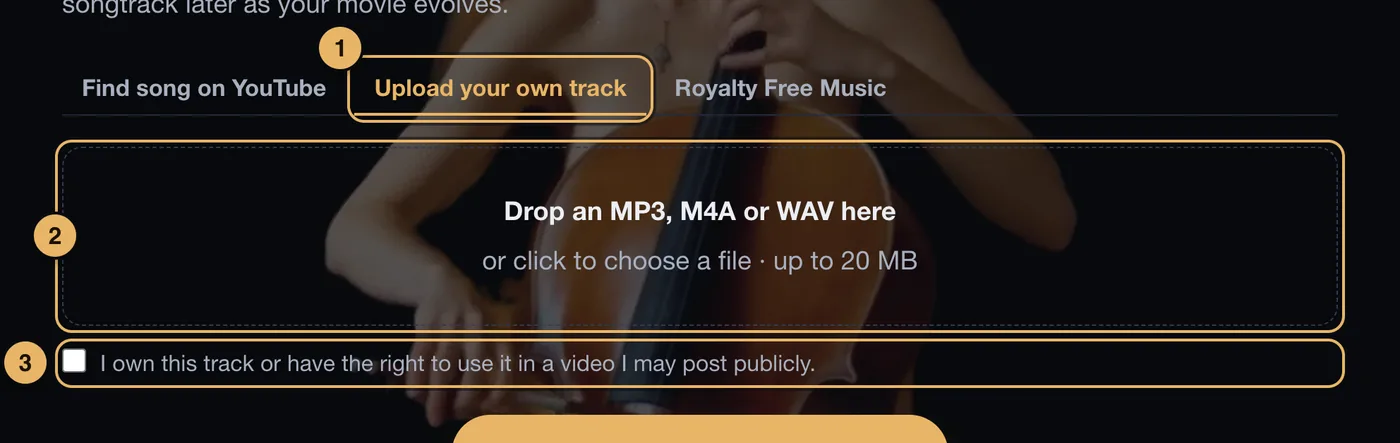
- Upload your own track. The middle tab.
- Drop zone. Drop an MP3, M4A or WAV file here, or click to choose one. The file can be up to 20 MB.
- Rights box. Tick this first. The upload will not start without it.
Royalty Free Music
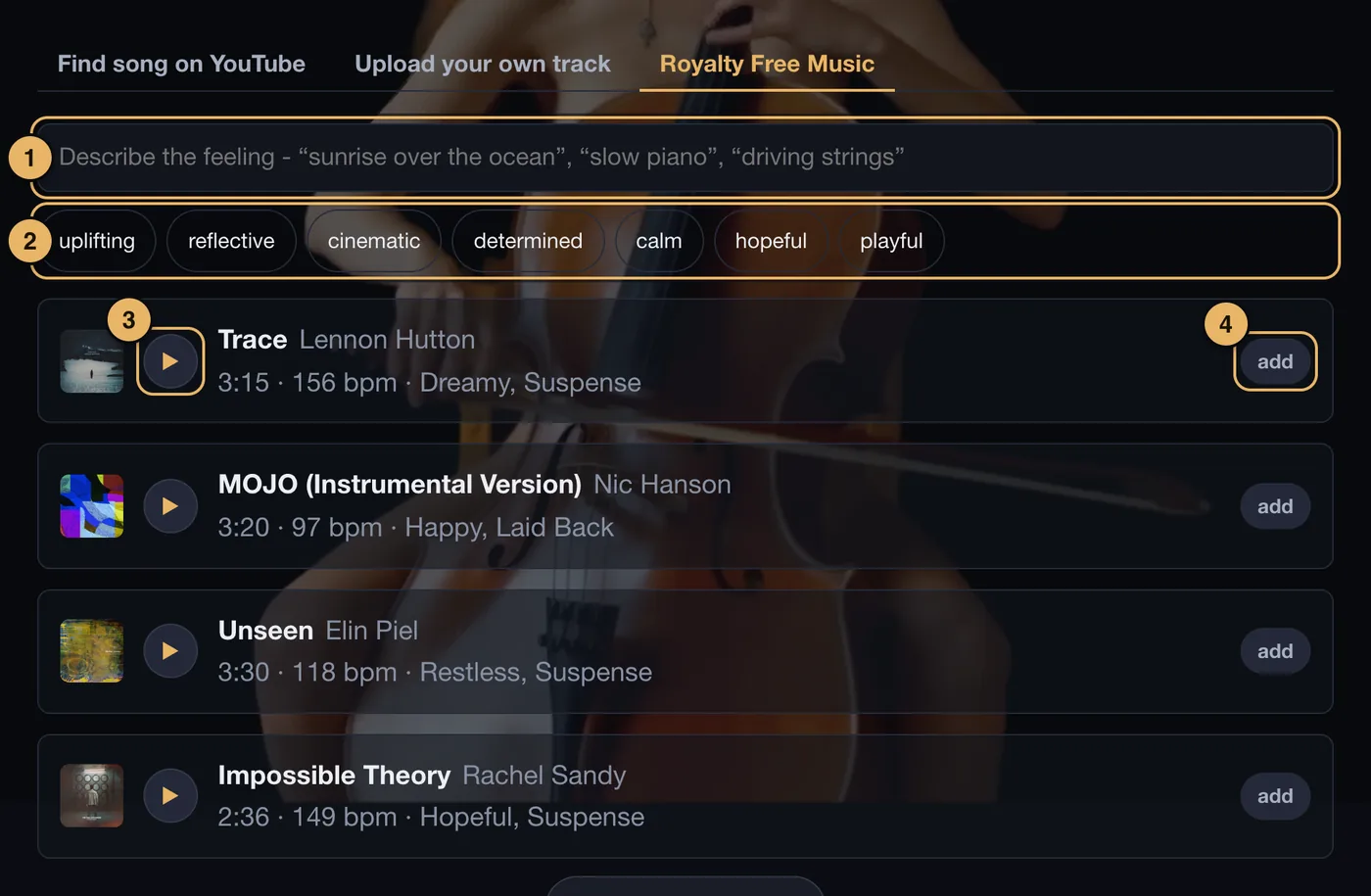
- Describe the feeling. Type what you want it to feel like, in your own words.
- Moods. Tap a mood to see tracks of that kind.
- Play. Listen to a preview.
- Add. Tap a track to make it your soundtrack. It then says in your movie. Tap it again to take it out.
These are instrumentals, so nothing sings over the words on screen.
If the page shows a note that the licensing for finished movies is still being completed, your choice is saved, but we suggest choosing a YouTube track or your own file for now.
Where should the music start?
After you choose a YouTube track or upload a file, this box appears. It lets you skip a long introduction.
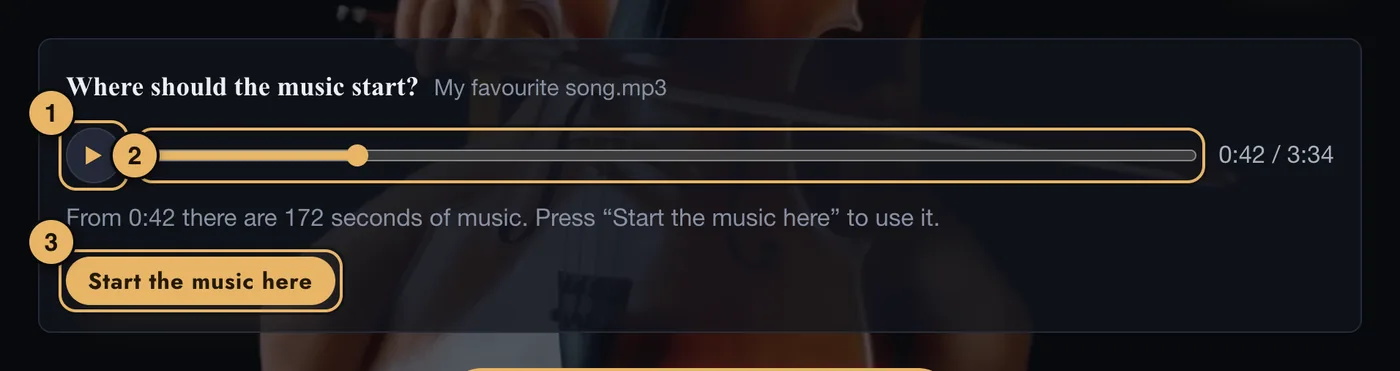
- Play. Plays the track from the point you have chosen.
- Slider. Slide to the moment the music should begin.
- Start the music here. Saves that point.
If the point you choose leaves less music than the movie needs, the studio tells you how many seconds are left and asks whether to go ahead or choose another point.
To undo it, press Start from the beginning.
If something goes wrong here
See Music.